
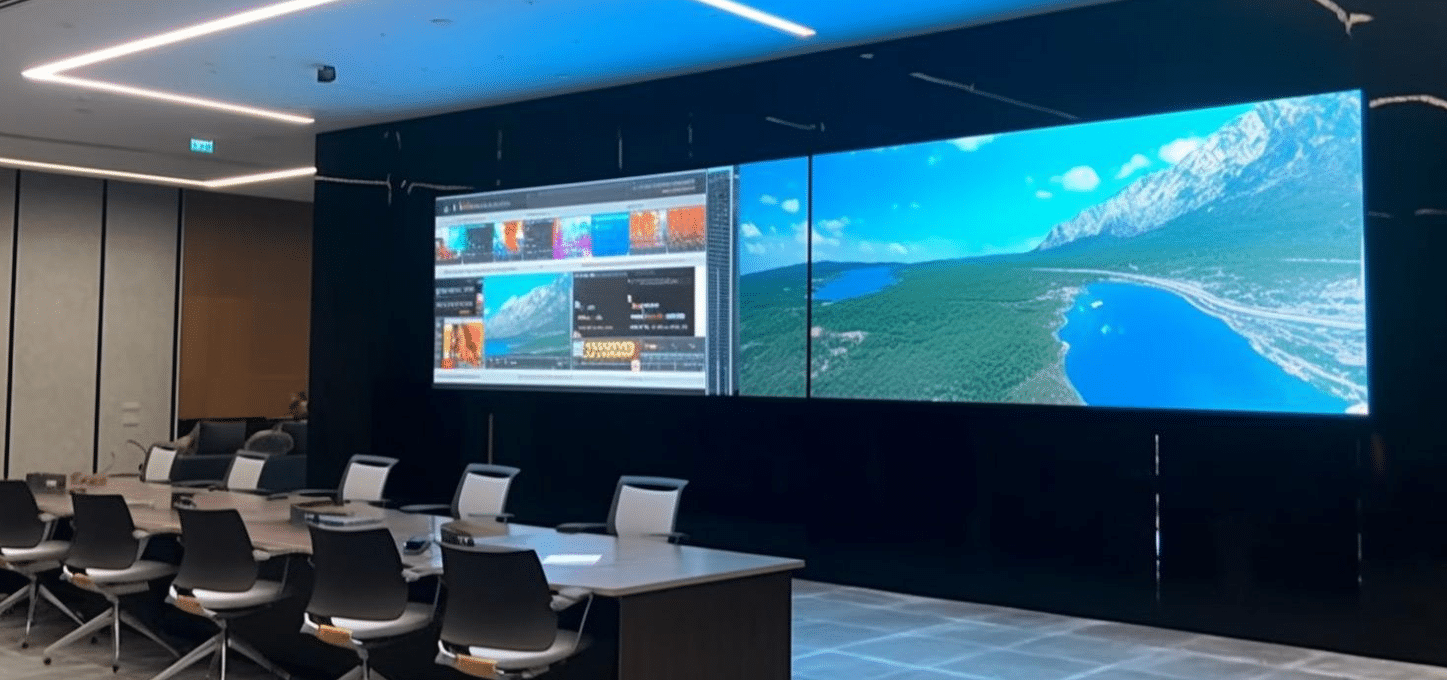
An indoor LED video wall looks simple from the front — one flat picture. What decides whether it looks good in your room is chosen before it is built: the pixel pitch for your viewing distance, the cabinet for your wall, and the service access for the years after. Get those three right and the rest follows.
1. Start with viewing distance, not screen size
Pixel pitch is the distance between pixels, and it sets how close people can stand before the picture breaks into dots. A boardroom where the nearest seat is 2 metres away needs a finer pitch than a mall atrium viewed from 10 metres.
As a rule of thumb, the finer the pitch, the closer the comfortable viewing distance. Indoor pitches run from P0.9 for very close viewing up to P2.5 and P3.91 for larger rooms. ILEDScreen’s iPrime Series covers P0.9 to P3.91, and the iVision Aluminum and iVision Steel lines cover P1.25 to P2.5 — so tell your supplier the nearest and farthest viewing distances first, and let the pitch follow from that, not from a catalogue default.
2. Match the cabinet to the wall
Indoor walls are built from cabinets, and the cabinet size decides how neatly the wall fits your space — and how flat it stays. A 33mm ultra-slim cabinet such as the iPrime Series sits close to the wall and suits lobbies, retail flagships and corporate spaces where the screen should look built in, not bolted on. Its cabinets come in 250×500mm, 250×750mm, 250×1000mm and 500×1000mm, so odd wall widths can be filled without cutting cabinets.
For a standard conference room or control room, a 640×480mm die-cast aluminum cabinet — the iVision Aluminum — gives a precise, flat wall with front-only service. For a large permanent wall in a mall, church or auditorium, a bigger 960×960mm steel cabinet — the iVision Steel — covers more area per cabinet and is built for that kind of always-on installation.
Ask for the exact wall size and any doors, columns or curves before quoting: a wall that fits in whole cabinets costs less and looks better than one that needs custom sizes.
3. Check flatness and seams
A video wall is only as good as its worst joint. Die-cast aluminum cabinets are machined to fit precisely, which is what keeps the surface flat and the seams invisible — that is why both the iPrime and the iVision Aluminum lines use them. When you compare quotes, ask how the cabinet is made and how it locks to its neighbour, not just the pixel pitch. A wall that is flat on day one and still flat after a year is worth more than a slightly cheaper one that shows its joints.
4. Think about curves and corners
Not every indoor wall is flat. A reception desk that wraps, a column that needs cladding, a retail corner that should carry the picture around the bend — these need a cabinet built for it. The iPrime Series supports 90° corners, columns and concave and convex curves, so a creative installation does not need a different product. If your design has any curve or corner, say so in the first message: it changes the cabinet and the quote.
5. Refresh rate matters if cameras are involved
In a meeting room the screen only has to look good to the people in it. In a broadcast studio, a conference streamed on camera or a stage with live production, it also has to look good through a camera — and that is where refresh rate shows. A low refresh rate can flicker or show banding on camera even when it looks fine to the eye.
The iPrime Series runs at 1920/3840Hz, and the iVision lines at 3840–7680Hz — both flicker-free for broadcast and camera use. If your wall will ever be filmed, put refresh rate on the checklist, not just brightness and pitch.
6. Viewing angle and contrast decide the far seats
Indoor viewers rarely sit dead centre. A wide viewing angle keeps brightness and colour consistent from the side seats — 140° on the iPrime Series, 160° on the iVision lines. Contrast matters just as much indoors as out: 10,000:1 on the iPrime and 6000:1 on the iVision Aluminum keep blacks deep and text sharp under normal indoor lighting, with 16-bit grayscale for smooth colour. Ask to see the wall from an angle, not only head-on, before you decide.
7. Plan service before you buy
An indoor wall is usually built into a room with no access behind it. That makes front service essential: the iVision Aluminum is fully front-serviceable, so a module, power supply or receiving card can be swapped from the front without taking the wall down. The iVision Steel offers front or rear maintenance depending on the installation.
Before ordering, ask three service questions: can it be serviced from the front, are spare modules and power supplies available, and how fast can they be shipped? A wall that cannot be serviced quickly is a wall that will sit dark while you wait.
A short checklist before you ask for a quote
- Nearest and farthest viewing distances, and what the room is used for
- Exact wall size, including any columns, corners or curves
- Whether the wall will be filmed or broadcast
- Whether there is access behind the wall, or only from the front
- How many hours a day it will run
Send those five answers with your size and application, and a factory can quote the right pitch, cabinet and configuration the first time — instead of revising it three times. ILEDScreen builds indoor video walls factory-direct from Shenzhen, in the iPrime, iVision Aluminum and iVision Steel lines, all CE and RoHS certified. Contact ILEDScreen for a quote — or start from the product pages: the iPrime Series, the iVision Aluminum 640×480 and the iVision Steel 960×960.